5 Most Common Email Subject Line Mistakes Smaller-Sized Businesses Make
6 min read
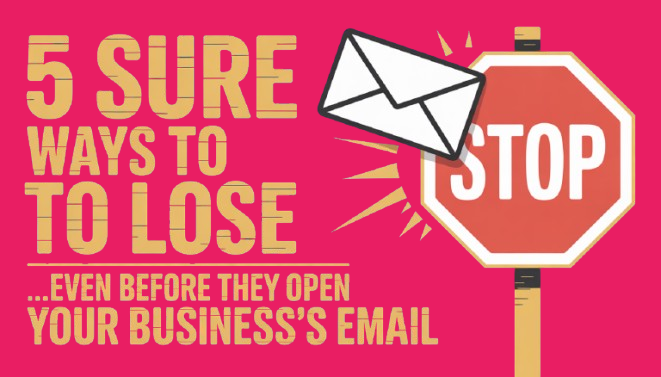
If your smaller-sized business has (actively) been using email marketing, then you probably already know how effective it can be;
How many other channels can get you a straight path to your customer’s inbox AND get you the kind of conversions email marketing gives organically?
But there’s a problem. If your subject line doesn’t spark interest, it is easy for your message to get buried under a hundred others. And that means lost sales, missed connections, and a lot less results for your effort.
Many SMBs assume low open rates mean people aren’t interested. In reality, (if you collected emails of targeted leads ethically), there is a good chance that they are just not compelled. Sometimes, the biggest email mistakes aren’t even about what’s inside - your subject lines could be failing to create enough curiosity or urgency to make them want to open your email.
We’re breaking down the five most common subject line mistakes that could be killing off your open rates, and explaining exactly how to fix them.
Don’t Make These 5 Common Email Mistakes in Your Business’s Subject Line
Email Subject Line Mistake 1: Lack of Personalization
Why It’s Killing Your Open Rates
If your subject line could be sent to anyone, it’ll probably be opened by only a handful of people. People scan their inboxes for emails that feel relevant to them. So, if your email feels like one of those “Dear User” sort of emails where you’re using vague language, you can be sure that your click-throughs will be low (especially if you are a smaller-sized business). Those one-size-fits-all subject lines scream "mass email", and that’s an easy way to get your emails ignored.
How Bad Is It?
You lose attention before your email even has a chance. According to a study by Campaign Monitor, emails with personalized subject lines are 26% more likely to be opened. That’s a massive difference, especially if you’re sending to a large list.
How to Make Your Subject Line A Teeny Bit More Personal
Use first names – It instantly makes the email feel like a direct conversation.
Reference past behavior – Mention their last purchase, a webinar they attended, or content they clicked on.
Segment your list – A customer who just bought shoes doesn’t need another “20% Off Shoes” email. Send them something related instead.
Example Fixes:
❌ "Big Savings Just for You" → (For everyone = for no one)
✅ "Jake, Your VIP Discount Ends Tonight" → (Feels exclusive and urgent)
❌ "Our Latest Blog Post" → (What’s in it for them?)
✅ "Lisa, 3 Quick Fixes for Your [Industry] Strategy" → (Personal + relevant)
Email Subject Line Mistake 2: Overuse of Spam Triggers
Why It’s Killing Your Open Rates
Spam filters don’t play. The moment your subject line includes certain red-flag words, too many exclamation marks, or feels overly salesy, your email could get flagged before a human even sees it. That means no opens, no clicks, and no conversions.
How Bad Is It?
According to Mailchimp, nearly 45% of all emails sent are spam. Email providers are constantly refining their filters to protect users, which means even a legit marketing email can get caught in the crossfire. If your emails are landing in spam, you’re basically invisible.
How to Save Your Subject Line From Spam Trigger Exile
Start by removing obvious spam triggers like "Free," "Buy Now," "Act Fast," and anything that sounds too pushy. Excessive capitalization and punctuation (like "LIMITED TIME OFFER!!!") also send red flags. Instead, write subject lines that sound natural, valuable, and non-desperate.
Use spam-checking tools like Mail Tester or GlockApps to see if your subject line raises any concerns before you hit send. And always run split tests because what works for one audience might tank with another.
Example Fixes:
❌ "Get Your Free Guide NOW!!!" (High spam risk, sounds desperate)
✅ "Download Your Complimentary Guide" (Professional, avoids spam triggers)
❌ "Buy Now & Save Big $$$" (Over-the-top, likely to be filtered)
✅ "Exclusive Discount for Subscribers" (Still enticing, less spammy)
If your emails aren’t reaching inboxes, they’re not getting opened. Avoid spam triggers, test your subject lines, and keep your messages valuable (not desperate).
Email Subject Line Mistake 3: Misleading or Clickbait Subject Lines
Why It’s Killing Your Open Rates
Nobody likes to be tricked. A subject line that overpromises and underdelivers is very annoying - and it (not so shockingly) damages trust. If people feel misled after opening your email, they won’t just ignore your future messages; they might unsubscribe or mark you as spam. And once your sender reputation takes a hit, your deliverability suffers.
How Bad Is It?
A 2023 Litmus report found that 42% of consumers will delete an email if the subject line feels misleading. Worse, 69% say they base their decision to report spam purely on the subject line. This isn’t just about one email underperforming. Your (frequent) clickbait subject lines will likely cause long-term damage to your credibility.
How to Not Clickbait Them To Open Your Emails
Your subject line should create curiosity but never at the expense of honesty. If you're using urgency, make sure it’s real. If you're teasing exclusive content, make sure the email delivers.
Instead of resorting to exaggerated claims or vague promises, focus on clarity and value. Readers should know exactly what they’re getting before they click.
Example Fixes:
❌ "You Won’t Believe This Offer!" (Overused, feels like a scam)
✅ "Exclusive Offer: 20% Off for Subscribers" (Clear and specific)
❌ "We Need to Talk…" (Manipulative, creates anxiety)
✅ "Important Update About Your Account" (Still urgent, but transparent)
❌ "This Hack Will Change Your Life!" (Overhyped, invites skepticism…and the FTC)
✅ "3 Quick Fixes to Improve Your Workflow Today" (Actionable and realistic)
The best subject lines balance curiosity with credibility. The moment people feel tricked, they stop trusting your emails. And once that happens, you lose them for good.
Email Subject Line Mistake 4: Lack of Urgency or Timeliness
Why It’s Killing Your Open Rates
One of the 4 U’s some top-tier copywriters use to capture attention in their email subject line is Urgency. Sometimes, people open emails because they feel like they need to. If your subject line lacks urgency, your email lands in the "I’ll check this later" pile - which, let’s be real, usually means never.
How Bad Is It?
A study by Experian found that emails with a sense of urgency and exclusivity get a 22% higher open rate. That’s because urgency triggers FOMO (fear of missing out), making people more likely to act now instead of putting it off.
How to Use Timeliness and Urgency Properly In Your Subject Line
Your subject line should make people feel like they’ll miss out if they don’t open the email right away. But urgency isn’t just about throwing "LIMITED TIME!" into every subject line. It needs to feel real and relevant.
Use time-sensitive language that makes the deadline clear. Tie your email to current events, seasons, or industry trends to make it feel timely. And always follow through. So, if you say an offer expires tonight, don’t extend it "one more day" every time.
Example Fixes:
❌ "Check Out Our Latest Offers" (No urgency, easy to ignore)
✅ "Last Chance: 20% Off Ends at Midnight" (Deadline-driven, forces action)
❌ "New Product Just Dropped!" (Interesting, but no push to act)
✅ "Be the First: Limited Stock Available Now" (Creates exclusivity and urgency)
When people believe they have time, they don’t act. Give them a reason to act now.
Email Subject Line Mistake 5: Poor Mobile Optimization
Why It’s Killing Your Open Rates
More than 60% of emails are opened on mobile devices, according to Litmus. If your subject line is too long or awkwardly cut off, your message won’t get across. And if people don’t understand what your email is about in those first few seconds, they won’t open it.
How Bad Is It?
Mobile inboxes typically display around 30 - 40 characters before cutting off the rest. That means if your subject line isn’t optimized, it could get chopped into something confusing. Or worse, meaningless.
Imagine seeing:
"Exclusive Deal: Get 50% Off Al…" (Off all what? Apples? Air conditioners? Nobody’s clicking to find out.)
How to Make Your Subject Lines Do Better on Mobile Devices
Keep subject lines under 40 characters.
Put the most important words at the beginning.
Test how they look on different devices before sending.
Example Fixes:
❌ "Huge Discounts on All Products This Weekend. Get Up to 50% Off" (Too long, likely to get cut off)
✅ "Big Sale: Up to 50% Off" (Short, clear, and attention-grabbing)
❌ "Your Exclusive VIP Invitation for Our Special Event" (Too wordy)
✅ "VIP Access: RSVP Now" (Gets straight to the point)
Conclusion
Your subject line is the first (and sometimes only) chance to grab attention. Get it wrong, and your email is dead on arrival.
The fix? Stop making the mistakes that tank your open rates. Ditch the generic intros, avoid spam triggers, keep it honest, add urgency, and make sure it looks good on mobile. Simple tweaks, huge impact.
Now, before you hit send on your next email, ask yourself: Would you open it? If not, it’s time for a rewrite.


Stop Guessing Where Your Next Client Will Come From
With the right funnel in place, leads stop slipping through the cracks. You focus on serving clients, while your system brings in new ones.
info@clicksnthings.com
© 2025. All rights reserved.
clicksnthings@gmail.com